My Antonio
Using My Antonio on CarPlay
Talk to Antonio from the CarPlay app on your car display. You must say his name first. He will not listen to commands without it.
Turn on Hands-free from the mic button inside the app if voice does not start automatically.
Step 1
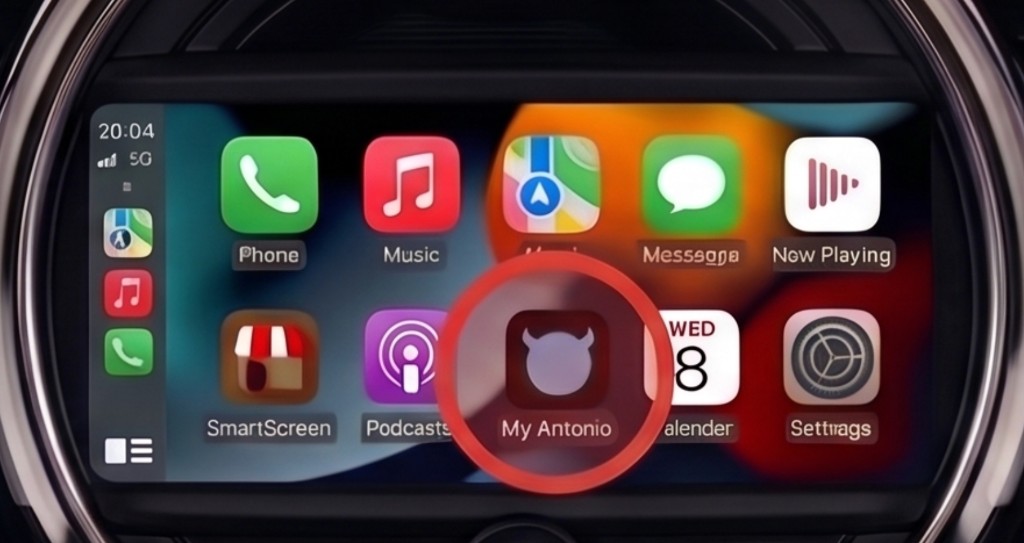
Find My Antonio on the CarPlay screen
On the CarPlay home screen, open the app grid and tap My Antonio.
Step 2
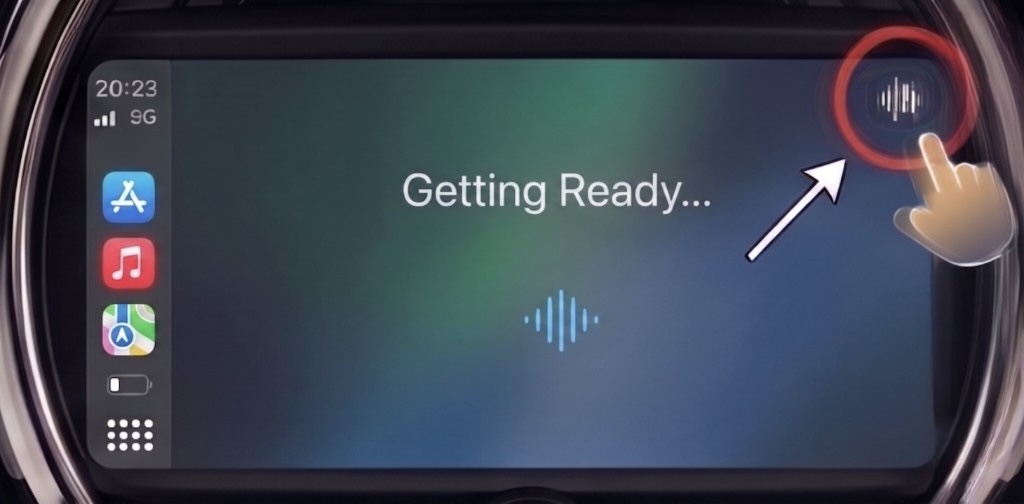
Tap the mic if the app is not ready
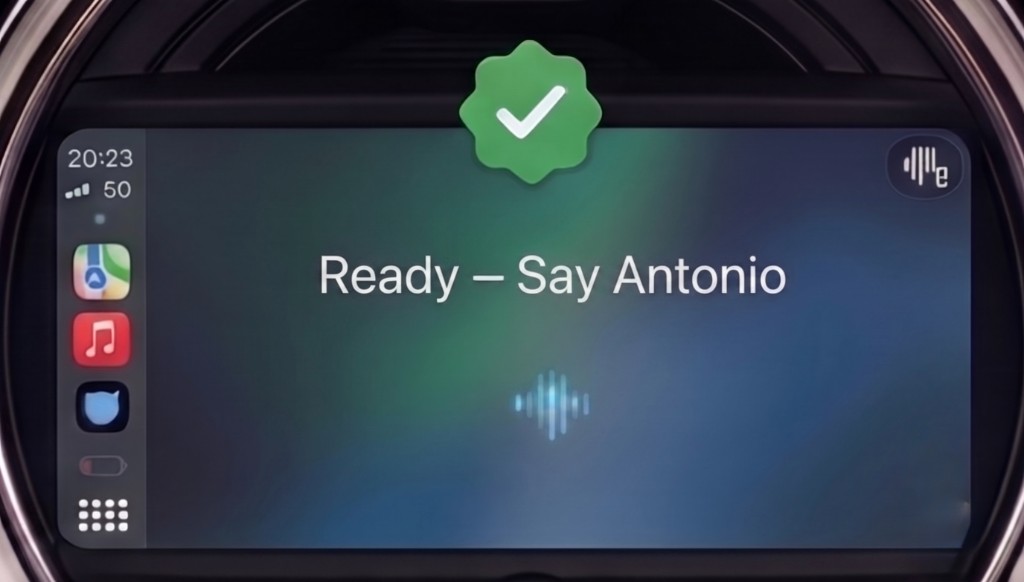
If you see “Getting Ready…”, tap the microphone button at the top right of the app. Wait until the screen shows “Ready - Say Antonio”.
Step 3
Say “Antonio” and your command
Antonio only listens after you say his name. Say “Antonio”, then your request in the same sentence.
Example phrases
Always start with “Antonio” (or your wake name):
- Antonio, how are you?
- Antonio, what’s the weather?
- Antonio, save parking.
- Antonio, play some music.