My Antonio
Add the My Antonio lock screen widget
Show your selected car badge on your iPhone lock screen. Pick your car in My Antonio first. The widget uses that choice.
Requires iOS 16 or later. Screenshots show English system UI; button names match your iPhone language.
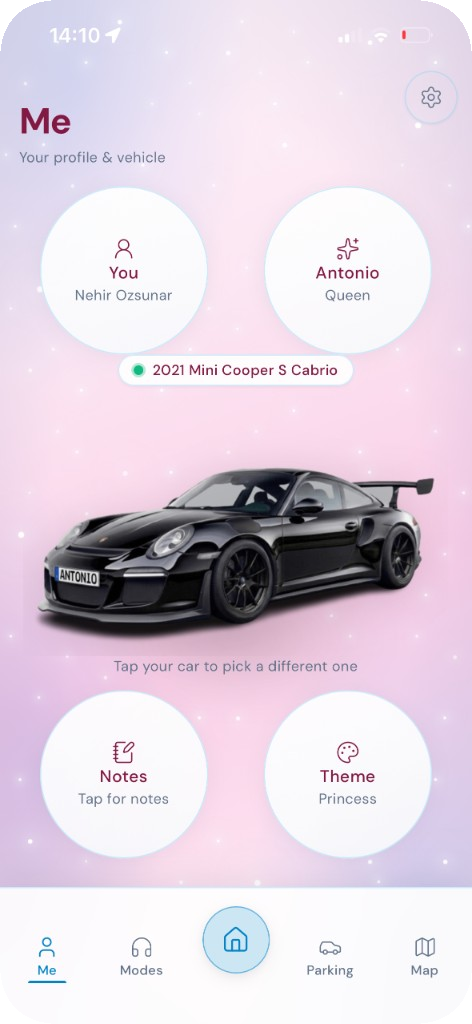
Step 1
Select your car in My Antonio
Open the Me tab and tap your car to choose the one you want on the lock screen widget.
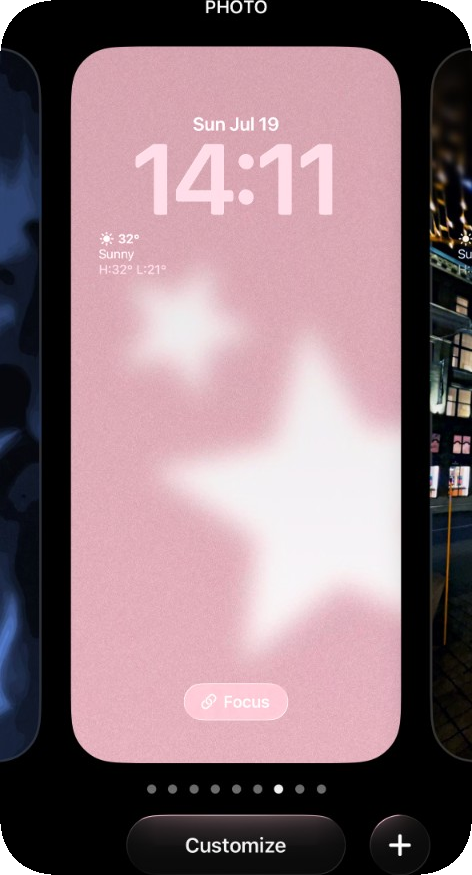
Step 2
Open Lock Screen customization
On your iPhone lock screen, touch and hold the middle of the screen, then tap Customize.
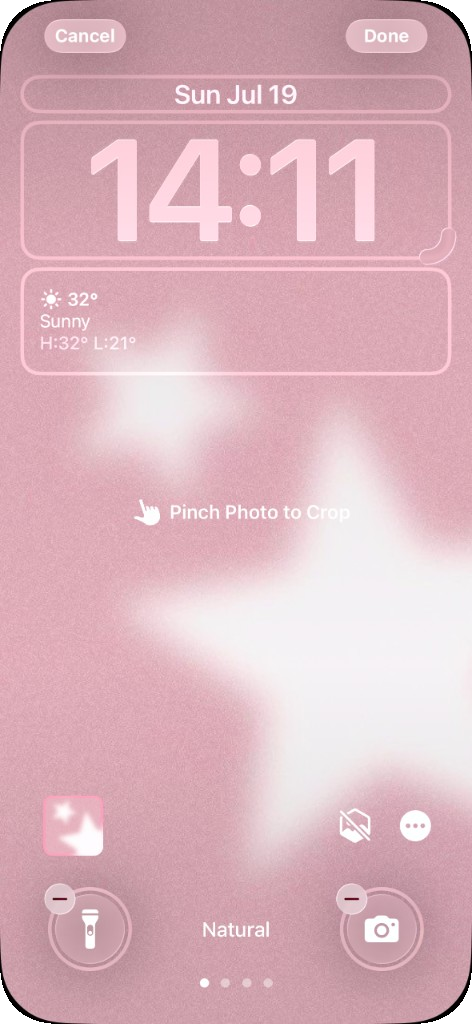
Step 3
Choose where to add the widget
The widgets edit screen appears. Tap the widget area where you want My Antonio.
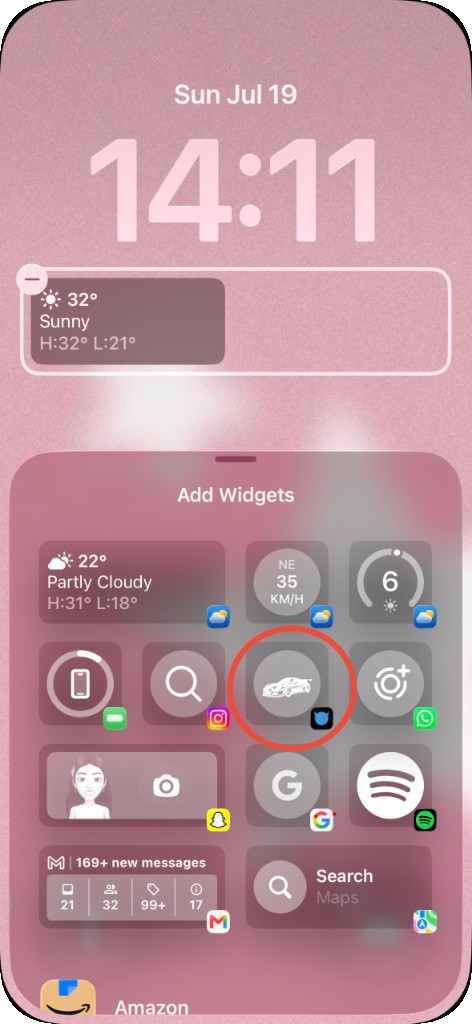
Step 4
Add the My Antonio widget
In Add Widgets, find My Antonio and tap the car badge widget.
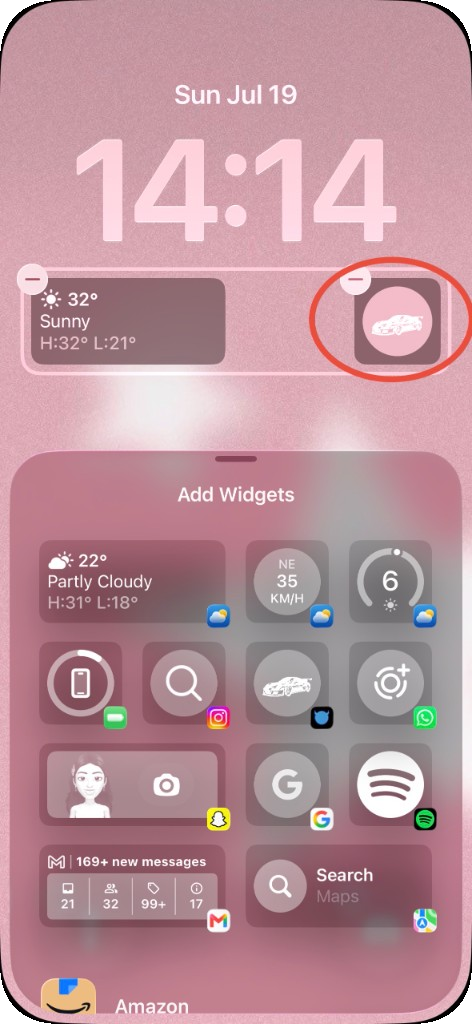
Step 5
Confirm your car badge
You will see your selected car on the lock screen.
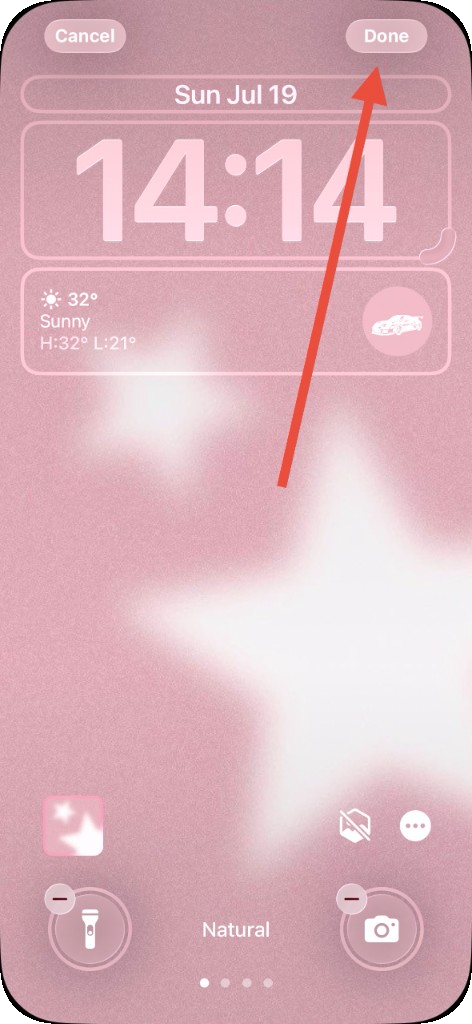
Step 6
Tap Done
Tap Done in the top right to save your lock screen.